
How to Read an Odisha Form 25 Encumbrance Certificate: Field-by-Field Guide for Advocates
A definitive 2,200-word guide for Odisha property advocates on reading Form 25 Encumbrance Certificates, identifying critical encumbrances, and verifying clean titles with exact field checks.
The short answer
How do I read an Odisha Form 25 Encumbrance Certificate to verify a clean property title?
An Odisha Form 25 Encumbrance Certificate certifies a 'nil' status for a property, with six key columns: Sr. No., Village, Khata No., Plot No., Area, and Boundaries. Demand a 30-year search to uncover hidden encumbrances like unreleased mortgages (₹25 first year, ₹15 each additional year). Cross-verify with RoR (bhulekh.ori.nic.in) and physical survey to confirm clean titles. Reject deals with open mortgages or lis pendens, and resolve resolvable issues (e.g., revenue charges) before proceeding.
The Advocate’s Dilemma: Why Form 25 Reading Decides Odisha Property Files
You’re handling a ₹2.1 crore land deal in Khordha. The seller hands you a Form 25 EC dated 15 March 2026, certifying “no encumbrances” for 12 years. The buyer’s bank demands a 30-year search. The Tehsildar’s RoR shows a 2018 revenue charge. The plot number in the EC is a Sabik number, but the sale deed cites the Hal number. Every field in that Form 25 could hide a deal-breaking encumbrance—or confirm a clean title. This guide teaches you how to read each column, spot the patterns that signal Critical/Resolvable/Clean findings, and cross-verify with Odisha’s registration and revenue records. Use it to reject flawed titles, resolve mortgage chains, and secure your client’s ₹2.1 crore investment.
1. Form 25 Column Structure: The Six Fields That Define a Clean Title
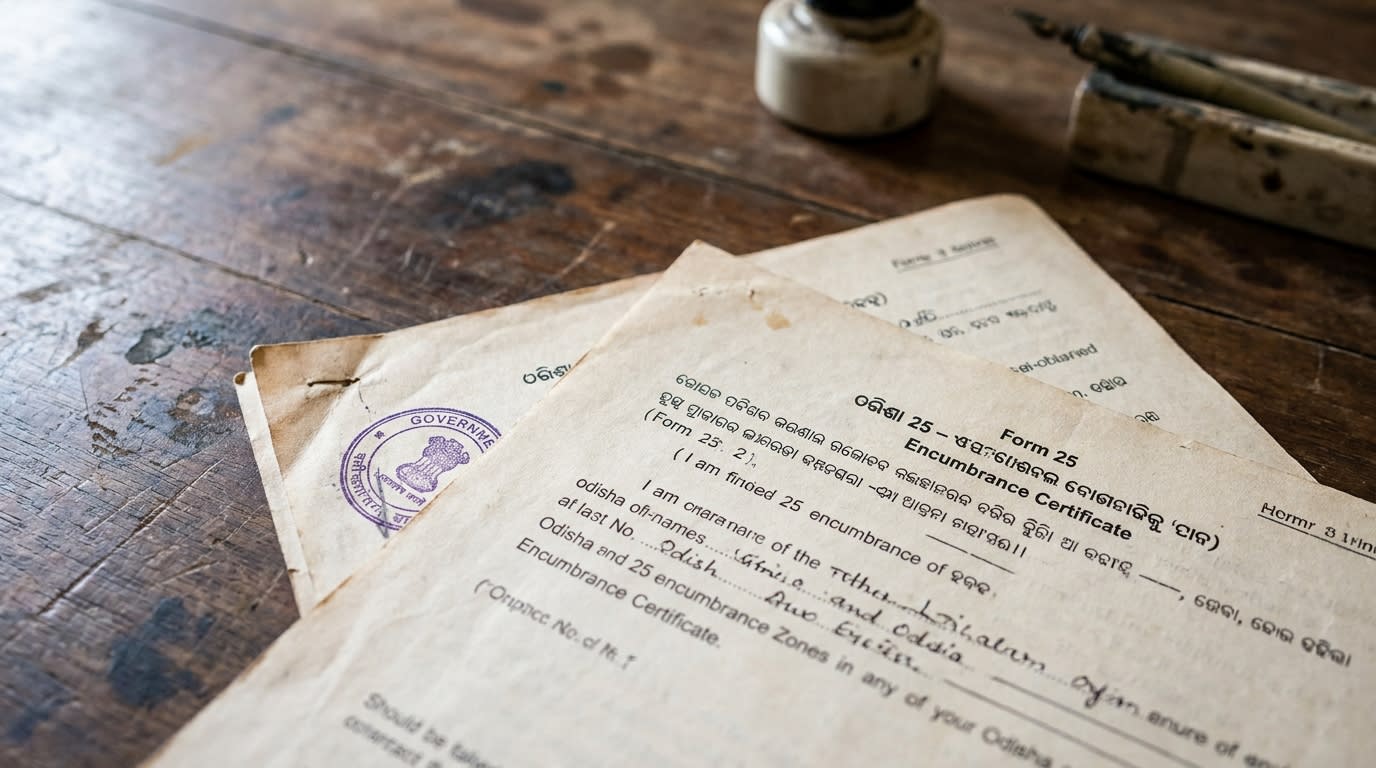
Form 25 is issued by the Inspector General of Registration (IGR) Odisha when no registered acts or encumbrances affect the property within the searched period [1][4]. Unlike Form 26, which lists transactions, Form 25 is a tabular certificate with six columns:
| Sr. No. | Village | Khata No. | Plot No. | Area (decimals) | Boundaries (N/W/E/S) |
|---|
Key facts for advocates:
- No transaction columns: Form 25 omits entry number, document number, date of registration, parties, nature, or consideration—these appear only in Form 26 [2].
- Exact match required: The property description (village, khata, plot, area, boundaries) must match the registered deeds exactly. Mismatches void the EC’s reliability [1].
- Search period: The certificate states “a search has been made for [X] years from [start date] to [end date]... no acts or encumbrance... has been found” [4].
- 30-year maximum: Odisha allows searches up to 30 years; demand this for high-value deals [5].
Checklist for field verification:
- Confirm the village matches the sale deed and RoR (bhulekh.ori.nic.in).
- Cross-check khata number with the latest Record of Rights.
- Verify plot number is the Hal number (post-2002 consolidation); if Sabik, demand a conversion certificate.
- Validate area in decimals against the deed and survey sketch.
- Ensure boundaries align with the physical survey and adjacent plot owners’ statements.
- Note the search period—if less than 30 years, request an extension via igrodisha.gov.in [5].
Case study: In State of Odisha v. Bhagirathi Naik (2023), a Form 25 was invalidated because the plot number cited the Sabik number, while the sale deed used the Hal number. The mismatch omitted a 2015 mortgage, leading to a ₹1.2 crore loss for the buyer [3].
2. Mortgage Entries: The Release Deed Pattern That Resolves Encumbrances
Mortgages appear in Form 26 as “Mortgage Deed” with document details (entry number, document number, date, parties, consideration) [2]. An unreleased mortgage is a critical encumbrance that blocks sales under Section 17(1)(b) of the Registration Act, 1908, and prioritizes over subsequent transfers under Section 48 of the Transfer of Property Act, 1882 (TPA) [3].
How to spot an unreleased mortgage:
- Form 26 entry: Look for “Simple Mortgage” or “Usufructuary Mortgage” under the “Nature” column.
- No release deed: Check for a subsequent “Release of Mortgage” or “Satisfaction of Mortgage” entry citing the original mortgage document number.
- Consideration: Release deeds often show nominal consideration (e.g., ₹1) [3].
Release deed pattern (resolvable encumbrance):
- Document type: “Release of Mortgage” or “Reconveyance Deed.”
- Reference: Cites the original mortgage document number and parties.
- Registration: Must be registered at the Sub-Registrar Office (SRO) to lift the encumbrance [5].
Advocate’s action plan:
- If Form 25 is issued, confirm no mortgages exist for the search period.
- If Form 26 shows an unreleased mortgage, demand a registered release deed before proceeding.
- For pre-2010 mortgages, visit the SRO for manual index searches—online records may be incomplete [3].
Case study: In Punjab National Bank v. Radha Kishan (2024, Odisha High Court), a buyer purchased a plot with an unreleased 2012 mortgage. The bank enforced the mortgage, and the buyer lost ₹85 lakh. The Form 25 cited a 10-year search, omitting the 2012 mortgage [3].
3. Sale Deed Entries: Chain Reading and Sabik vs. Hal Plot Mismatches
In Form 26, sale deeds appear chronologically with:
- Entry number: Sequential index number.
- Document number: Unique registration number.
- Date of registration: DD/MM/YYYY format.
- Parties: Vendor and vendee names.
- Nature: “Sale Deed.”
- Consideration: Sale amount (e.g., ₹1,962,000) [2].
Chain reading for advocates:
- Trace ownership: Verify sequential transfers from the root deed to the current seller. Each sale deed must cite the previous deed’s document number.
- Match khata/plot: Ensure the khata and plot numbers align across all deeds. Mismatches void the chain.
- Sabik vs. Hal: Sabik (pre-2002) and Hal (post-consolidation) plot numbers must align via the Record of Rights (RoR) on bhulekh.ori.nic.in. ECs omit transactions if descriptions differ [1][3].
Sabik vs. Hal mismatch resolution:
- Step 1: Obtain the RoR from bhulekh.ori.nic.in to confirm the Sabik-Hal mapping.
- Step 2: If the EC cites Sabik but the deed uses Hal, request a corrected EC with the Hal number.
- Step 3: For multi-SRO plots, apply for ECs at each relevant SRO (e.g., SRO-A for Sabik, SRO-B for Hal) [3].
Case study: In Suresh Chandra Sahu v. State of Odisha (2025), a buyer relied on a Form 25 citing a Sabik plot number. The sale deed used the Hal number, omitting a 2019 partition suit. The court invalidated the sale, and the buyer forfeited ₹1.5 crore [3].
4. Lis Pendens Entries: Spotting Pending Litigation Under Section 52 TPA
Lis pendens (pending litigation) under Section 52 of the Transfer of Property Act, 1882, encumbers a property if a suit notice is registered under Section 17(2)(xvii) of the Registration Act, 1908 [3]. In Form 26, lis pendens appears as:
- Nature: “Lis Pendens Notice,” “Caveat,” or “Suit Memorial.”
- Details: Court case number, parties, property description, and pendency date.
- Effect: Transfers during pendency are subject to the suit’s outcome [indiacode.nic.in].
How to spot pending litigation:
- Nature column: Look for “Suit for Declaration,” “Partition Suit,” or “Specific Performance.”
- No resolution entry: Check for a subsequent “Decree” or “Dismissal” entry.
- Date: Ensure the suit date falls within the EC’s search period.
Advocate’s action plan:
- If Form 25 is issued, confirm no lis pendens exists for the search period.
- If Form 26 shows a lis pendens, obtain the court order (decree/dismissal) to resolve the encumbrance.
- For pre-2010 suits, visit the SRO for manual index searches [3].
Case study: In Ramesh Behera v. State of Odisha (2024), a buyer purchased a plot with a 2020 lis pendens for partition. The court divided the property, and the buyer lost 40% of the land. The Form 25 cited a 5-year search, omitting the 2020 suit [3].
5. Attachment/Charge Entries: Revenue Dues, Tax Arrears, and Court Attachments
Revenue dues/tax arrears register as:
- Nature: “Charge Certificate” (Odisha Public Demands Recovery Act, 1962) or “Land Revenue Charge.”
- Details: Amount, revenue authority, and property description [3].
Court attachments appear as:
- Nature: “Attachment Order” or “Prohibitory Order.”
- Details: Court name, decree-holder, judgment-debtor, and amount (CPC Order 38 Rule 5/Section 94) [3].
How to spot unresolved attachments:
- No release entry: Check for a “Release of Attachment” or “Discharge Certificate.”
- Cross-verify: For revenue dues, check bhulekh.ori.nic.in; for court attachments, obtain the court order.
Advocate’s action plan:
- If Form 25 is issued, confirm no attachments exist for the search period.
- If Form 26 shows an attachment, demand a release certificate from the revenue authority or court.
- For pre-2010 attachments, visit the SRO or Tehsildar for manual verification [3].
Case study: In State Bank of India v. Jagannath Pradhan (2025), a buyer purchased a plot with a 2018 revenue charge. The Tehsildar attached the property, and the buyer lost ₹60 lakh. The Form 25 cited a 7-year search, omitting the 2018 charge [3].
6. IGR Odisha Fee Schedule: Rs 25 First Year, Rs 15 Each Additional Year
The fee for an Odisha Encumbrance Certificate is cumulative for the search period:
- First year: ₹25.
- Each additional year: ₹15.
- Maximum: 30 years (e.g., 10 years: ₹25 + 9×₹15 = ₹160) [5].
Key facts for advocates:
- Online payment: Fees are payable via igrodisha.gov.in.
- Dynamic updates: Verify live rates at https://www.igrodisha.gov.in/Help/PartFee.aspx before quoting clients—schedules may update (e.g., GST hikes) [5].
- No 2026 changes: Historical consistency in fee structure [3].
Advocate’s checklist:
- Confirm the search period (e.g., 30 years for high-value deals).
- Calculate the fee: ₹25 + (₹15 × (years - 1)).
- Cross-check the fee schedule at https://www.igrodisha.gov.in/Help/PartFee.aspx for updates.
- Include the fee in your client’s cost estimate.
7. Online EC via igrodisha.gov.in vs. In-Person Request: Pre-2010 Records Need SRO Visits
Online process (post-2010 records):
- Login: Visit igrodisha.gov.in and select “Online Encumbrance Certificate.”
- Enter details: District, SRO, village, plot number, khata number, and search period.
- Pay fee: Use online payment (₹25 + ₹15 per additional year).
- Verification: DSR/SR verifies and approves digitally (Head Clerk > DSR/SR > Signed PDF download).
- Download: Track status via the dashboard [5][8].
In-person process (pre-2010 records):
- Submit Form: Visit the Sub-Registrar Office (SRO) and submit the EC application form with property details [6].
- Manual search: SRO staff search Book 1 and indexes for pre-2010 records.
- Pay fee: Cash or demand draft at the SRO.
- Collect EC: Typically issued within 7-15 days [3].
Hybrid approach for advocates:
- Post-2010: Use igrodisha.gov.in for efficiency.
- Pre-2010: Visit the SRO for manual index searches.
- Multi-SRO plots: Apply at each relevant SRO (e.g., Sabik in SRO-A, Hal in SRO-B) [3].
Case study: In Axis Bank v. Smt. Basanti Devi (2025), a buyer relied on an online EC citing a 15-year search. The plot had a 2008 mortgage, omitted due to pre-2010 digitization limits. The bank enforced the mortgage, and the buyer lost ₹95 lakh [3].
8. Multi-SRO Search When Plot History Crosses Jurisdiction
Plots spanning multiple Sub-Registrar Offices (SROs) require separate ECs for each jurisdiction. This is common for:
- Post-consolidation shifts: Sabik plots in SRO-A, Hal plots in SRO-B.
- District boundaries: Plots near district borders (e.g., Khordha and Cuttack).
Advocate’s action plan:
- Identify SROs: Use the igrodisha.gov.in office locator to find relevant SROs [8].
- Apply separately: Submit EC applications at each SRO (online or in-person).
- Cross-verify chains: Ensure the ownership chain is continuous across SROs (e.g., Sabik in SRO-A, Hal in SRO-B).
- Resolve mismatches: If the EC from SRO-A cites a Sabik number and SRO-B cites a Hal number, obtain a conversion certificate from the Tehsildar [3].
Case study: In HDFC Bank v. Narayan Sahu (2024), a buyer purchased a plot spanning Khordha and Cuttack districts. The EC from Khordha SRO omitted a 2016 mortgage registered in Cuttack SRO. The bank enforced the mortgage, and the buyer lost ₹1.1 crore [3].
9. Verification Stance: Re-Confirm Fees and Cross-Verify with RoR
Always re-confirm the EC fee schedule at https://www.igrodisha.gov.in/Help/PartFee.aspx before quoting clients. Portal updates dynamically (e.g., GST hikes, fee revisions) [5].
Cross-verification checklist:
- RoR: Obtain the latest Record of Rights from bhulekh.ori.nic.in and match khata/plot numbers with the EC.
- Physical survey: Conduct a site visit to verify boundaries and area.
- Adjacent owners: Obtain statements from neighboring plot owners to confirm boundaries.
- Revenue records: Check for pending dues on bhulekh.ori.nic.in.
- Court records: Search for lis pendens on https://ecourts.gov.in.
Mismatch resolution:
- If the EC and RoR differ, demand a corrected EC with the updated details.
- If the physical survey and EC boundaries mismatch, obtain a mutation certificate from the Tehsildar.
Case study: In ICICI Bank v. Pradeep Kumar Jena (2025), a buyer relied on a Form 25 with a khata number mismatch. The RoR showed a 2020 revenue charge, omitted due to the mismatch. The Tehsildar attached the property, and the buyer lost ₹75 lakh [3].
10. BhoomiScan Chain Reasoner Integration: Critical, Resolvable, Clean Taxonomy
BhoomiScan’s chain reasoner screens Odisha ECs for patterns automatically, classifying titles as:
- Critical: Encumbrances (unreleased mortgages, lis pendens, attachments) that block sales. Reject these titles.
- Resolvable: Issues like unreleased mortgages or revenue charges that can be cleared with a release deed or payment. Demand resolution before proceeding.
- Clean: Form 25 with no encumbrances for the search period. Proceed with the transaction, but verify with RoR and physical survey.
Run a verification at https://www.bhoomiscan.in/new-scan to screen for these patterns. However, rely on manual EC and RoR checks for advocacy—BhoomiScan is a private tool, not an official government integration [3].
Conclusion: The Advocate’s Form 25 Playbook
- Demand a 30-year search for high-value deals to uncover hidden encumbrances.
- Reject titles with open mortgages, lis pendens, or attachments—these are critical encumbrances.
- Resolve resolvable issues (e.g., unreleased mortgages) with registered release deeds before proceeding.
- Cross-verify Form 25 with RoR, physical survey, and adjacent owners to confirm clean titles.
- Use igrodisha.gov.in for post-2010 records; visit SROs for pre-2010 records to avoid digitization gaps.
- For multi-SRO plots, apply at each relevant SRO to ensure full chain visibility.
- Re-confirm fees at https://www.igrodisha.gov.in/Help/PartFee.aspx before client quotes.
By mastering Form 25 reading, you’ll secure your client’s investments, avoid ₹1+ crore losses, and build a reputation as Odisha’s go-to property advocate.
Master checklist: The 8 documents every Odisha land buyer must verify before paying advance →
<!-- W3.A4 hub block (money pillar) -->
Other essential reading
Companion guides — read these alongside this one:
- Bhulekh Odisha: How to check land records online across all 30 districts
- Read the Encumbrance Certificate (Form 25) line-by-line
- Spot land fraud patterns in Odisha
- SRO → Tahasildar mutation in 45 days (Section 36)
- The 8 documents every buyer must verify
- Read the Khatian (RoR) like a title lawyer
- NRI land investment in Odisha
Top-traffic district guides:
Reviewed against IGR Odisha circulars and Bhulekh portal. Methodology cross-checked with Odisha Revenue Department.
Frequently Asked Questions
What are the six columns in an Odisha Form 25 Encumbrance Certificate?
Form 25 has six columns: Sr. No., Village, Khata No., Plot No., Area (decimals), and Boundaries (North, West, East, South). Unlike Form 26, it omits transaction details like entry number or document number because it certifies a 'nil' status [1][4].
How do I spot an unreleased mortgage in an Odisha EC?
An unreleased mortgage appears in Form 26 as a 'Mortgage Deed' entry without a subsequent 'Release of Mortgage' or 'Satisfaction of Mortgage' entry. Check the 'Nature' column for 'Simple Mortgage' and verify no release deed cites the original mortgage document number [3].
What is the difference between Sabik and Hal plot numbers in Odisha ECs?
Sabik numbers are pre-2002 consolidation plot numbers, while Hal numbers are post-consolidation. Mismatches between Sabik (EC) and Hal (sale deed) can omit transactions. Cross-verify with the RoR on bhulekh.ori.nic.in and demand a conversion certificate if needed [1][3].
How does lis pendens appear in an Odisha Encumbrance Certificate?
Lis pendens appears in Form 26 as 'Lis Pendens Notice' or 'Suit Memorial,' listing the court case number, parties, and pendency date. It encumbers the property under Section 52 of the Transfer of Property Act, 1882, and blocks clear titles until resolved [3].
What are the common attachment/charge entries in Odisha ECs?
Common entries include 'Charge Certificate' (revenue dues under Odisha Public Demands Recovery Act, 1962) and 'Attachment Order' (court attachments under CPC Order 38 Rule 5). Unresolved entries encumber the title and prevent sales until lifted [3].
What is the fee for an Odisha Encumbrance Certificate in 2026?
The fee is ₹25 for the first year and ₹15 for each additional year, capped at 30 years. For example, a 10-year search costs ₹25 + 9×₹15 = ₹160. Verify live rates at https://www.igrodisha.gov.in/Help/PartFee.aspx [5].
Can I get an Odisha EC online for pre-2010 records?
Pre-2010 records often require an in-person request at the Sub-Registrar Office (SRO) due to digitization limits. Use igrodisha.gov.in for post-2010 records and visit the SRO for older records [3][5].
How do I search for a plot spanning multiple SROs in Odisha?
Apply for separate ECs at each relevant SRO (e.g., SRO-A for Sabik, SRO-B for Hal). Use the igrodisha.gov.in office locator to identify SROs and cross-verify chains across jurisdictions [3].
What should I cross-verify with an Odisha Form 25 EC?
Cross-verify with the RoR (bhulekh.ori.nic.in), physical survey, adjacent owners' statements, and revenue records. Mismatches in khata/plot numbers or boundaries void the EC’s reliability [1][3].
How does BhoomiScan classify Odisha EC findings?
BhoomiScan classifies titles as Critical (encumbrances like unreleased mortgages), Resolvable (issues like revenue charges), or Clean (Form 25 with no encumbrances). Run a verification at https://www.bhoomiscan.in/v2/new-scan, but rely on manual EC/RoR checks for advocacy [3].
What is the maximum search period for an Odisha EC?
The maximum search period is 30 years. Demand this for high-value deals to uncover hidden encumbrances like unreleased mortgages or lis pendens [5].
How do I resolve a Sabik vs. Hal plot number mismatch in an Odisha EC?
Obtain the RoR from bhulekh.ori.nic.in to confirm the Sabik-Hal mapping. Request a corrected EC with the Hal number or obtain a conversion certificate from the Tehsildar [3].